
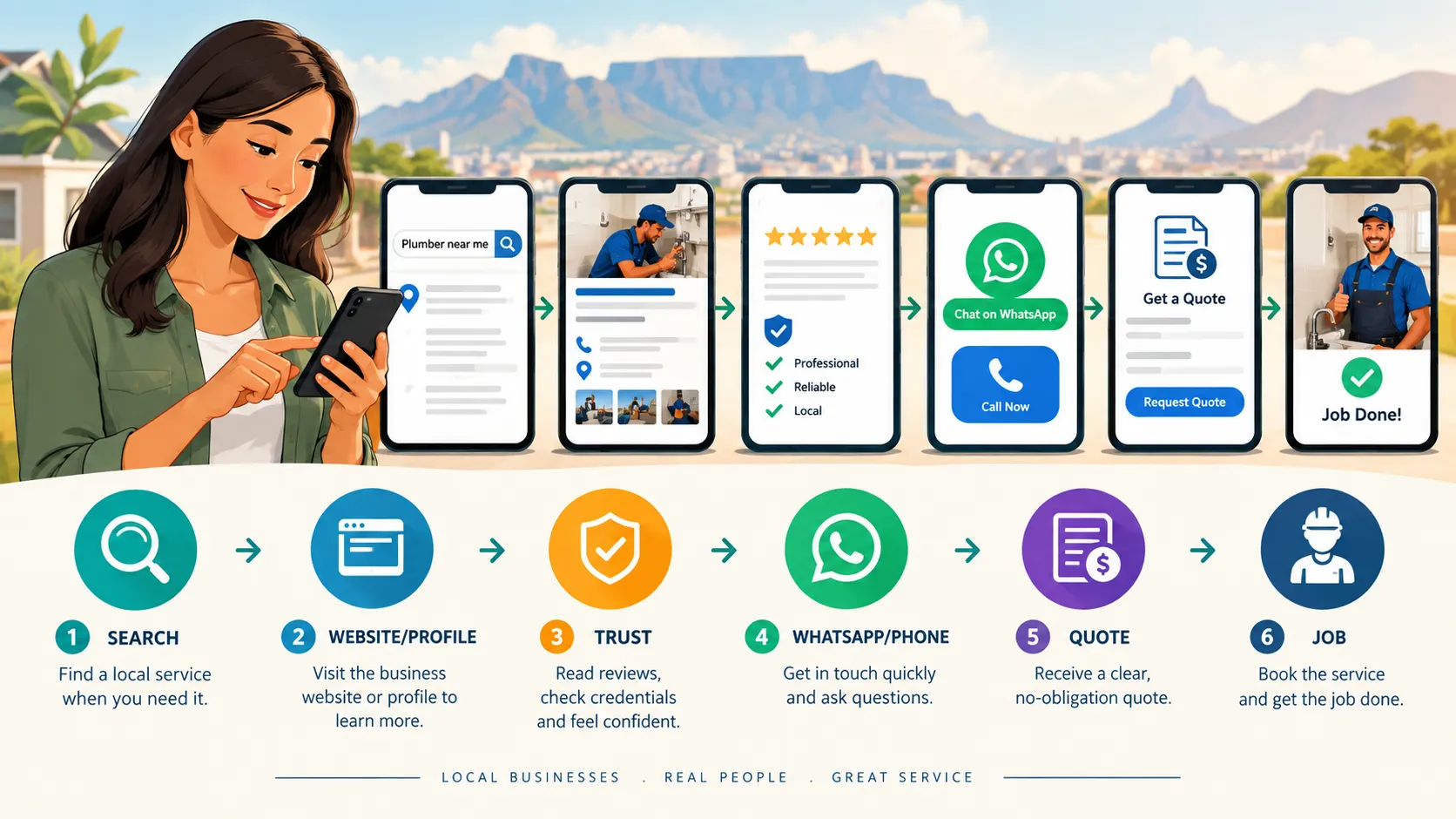
Being found is only the first step. The next question is: what happens when someone finds you?
Lead optimization means making it easy for a potential customer to understand your offer and take the next step.
What you are trying to achieve
When someone visits your website, Google Business Profile or other online presence, they should quickly understand what you offer, trust your business and know exactly what they can do next.
1. Decide What You Want the Customer to Do
Do not give every visitor ten different choices. Decide on the main action for your business.
It might be Call Now, WhatsApp Us, Request a Quote, Book an Appointment, Visit the Shop or Get Directions.
Put that action where people can see it without searching.
The main action should also match the way your customers normally contact your business. A service business may want customers to call or WhatsApp, while another business may want customers to visit a shop or request a quotation.
What to do now
Choose the one action you most want a new customer to take. Then check your website and other important online profiles to make sure that action is easy to find.
Cape Portal Tool: WhatsApp Direct Contact Chat Opener
Use the WhatsApp Direct Contact Chat Opener to help create a useful starting message when a customer opens a WhatsApp conversation.
2. Write for Customers, Not for Technology
A good service page should answer five simple questions:
- What do you offer?
- Who is it for?
- Where do you provide it?
- Why should the customer trust you?
- What should the customer do next?
For example, instead of saying “Integrated exterior surface restoration solutions”, a flooring company could say:
“We sand, repair and restore wooden floors in Cape Town and surrounding areas.”
The second version is easier for a customer to understand.
Your website should use language that your customers understand. You do not need complicated wording to sound professional.
What to do now
Read the main heading and service descriptions on your website as if you were a new customer.
If you have to read something twice to understand what the business actually does, simplify it.
3. Build a Strong Home Page
Your home page should quickly communicate your main service and area.
A useful structure is:
- Headline — what you do and where.
- Short explanation — what problem you solve.
- Primary button — Call, WhatsApp or Request a Quote.
- Trust section — reviews, years of experience, qualifications or completed work.
- Main services — links to important service pages.
- Service area — suburbs, towns or regions served.
- Contact section — simple and obvious.
What to do now
Open your website on your phone.
Pretend you have never seen the business before.
Can you understand what the business does within a few seconds?
Can you easily find the phone number or WhatsApp contact?
Can you see where the business operates?
If not, make the changes needed to make the main information easier to find.
4. Make WhatsApp Useful
For many South African small businesses, WhatsApp is an important customer-contact channel.
Make it easy to start a conversation, but help the customer give you the information you need.
For example:
“Hi, I would like a quote for carpet cleaning. My suburb is _____. The approximate size is _____. I would like the work done on _____.”
This reduces unnecessary back-and-forth and helps you respond faster.
Cape Portal Tools That Can Help
- SA Phone Number & WhatsApp Validator — check that a South African phone number is correctly formatted.
- WhatsApp Quick Reply Generator — prepare useful replies for common customer questions.
- WhatsApp Quote Formatter — make quotation information easier to send through WhatsApp.
- WhatsApp Direct Contact Chat Opener — help customers start a conversation with useful information.
What to do now
Send yourself a test WhatsApp message from your website or Google Business Profile.
Check that:
- The button works.
- The correct number opens.
- The message is useful.
- The customer knows what information to provide.
5. Ask Better Enquiry Questions
A good enquiry form does not need twenty fields. Ask only for information that helps you qualify or prepare the job.
Useful information may include:
- Name
- Phone or WhatsApp number
- Suburb or service location
- Service required
- Short description of the job
- Preferred date or time, where relevant
- Optional photo upload, where useful
The aim is to collect enough information to start the conversation without making the customer complete a long application form.
What to do now
Look at your current enquiry form.
Remove questions that you do not actually need before speaking to the customer.
Cape Portal Tool: Professional Email Reply Generator
Use the Professional Email Reply Generator when you need help preparing a clear and professional response to a customer enquiry.
Always check the generated response before sending it and make sure it reflects the actual enquiry.
6. Turn Trust Into Action
A customer may be comparing several businesses.
Make the decision easier with evidence: genuine reviews, photographs of your work, clear service information, professional contact details and a straightforward explanation of what happens next.
Do not promise results you cannot guarantee.
Avoid fake urgency and exaggerated claims. A clear, honest offer builds a better long-term reputation.
Cape Portal Tools That Can Help
Google Review Request Message Generator
Use the Google Review Request Message Generator to create a friendly message that you can send to genuine customers after completing a job or providing a service.
The aim is not to pressure customers into leaving a positive review. The aim is to make it easy for a genuine customer to leave honest feedback.
Google Review Response Generator
Use the Google Review Response Generator if you need help preparing a professional response to a customer review.
Always check the generated response before sending it. Your response should sound like your business and should accurately reflect what happened.
7. Measure the Enquiries That Matter
You do not need complicated analytics to start.
Keep a monthly record of:
- Calls
- WhatsApp enquiries
- Quote requests
- Appointments
- Jobs won
Over time, you will see which services and marketing activities produce real business.
If you use a verified Google Business Profile, Google provides performance information about how people discover the profile and what actions they take, such as views and clicks.
The important point is to connect activity with actual business.
A large number of website visits does not automatically mean a large number of customers.
What to do now
Start a simple monthly record.
You could use a spreadsheet, notebook or another system that is easy for you to maintain.
Record the number of genuine enquiries you receive and, where possible, how many become quotations, appointments and actual jobs.
Chapter 2 Action Plan
Work through this checklist before moving on to the next chapter.
My lead optimization checklist
☐ I have chosen one primary customer action.
☐ My main customer action is easy to find on my website.
☐ My home-page headline clearly explains what I do.
☐ My website explains where I provide my services.
☐ My main services are easy to understand.
☐ My phone and WhatsApp buttons work on a mobile phone.
☐ My WhatsApp contact opens correctly.
☐ My WhatsApp message makes it easy for customers to provide useful information.
☐ My enquiry form only asks for information I actually need.
☐ I have genuine reviews or other evidence that helps customers trust my business.
☐ I have clear photographs or examples of my work where appropriate.
☐ I have a professional way of responding to enquiries.
☐ I have a simple process for following up genuine enquiries.
☐ I keep a monthly record of important enquiries.
☐ I know how many enquiries are turning into real business.
Use the Tools — Then Take Action
Cape Portal tools are designed to help you find problems and make everyday online tasks easier. A tool result is not the end of the process.
Check it. Understand it. Fix what you can. Then check again.
If you create a WhatsApp message, actually test it from a mobile phone.
If you create a customer response, check it before sending it.
If you create a review request, use it with a genuine customer.
If you identify a problem with your enquiry process, make the change and then test the customer journey yourself.
You do not need to fix everything in one day. Work through the checklist one step at a time and keep a simple record of what you have completed.
The goal is not to use more tools. The goal is to make it easier for a real customer to understand your business, contact you and take the next step.
Chapter 2 complete?
Once you have worked through the checklist and made it easier for customers to contact your business, you are ready to move on to the next chapter:
Chapter 3: Make Your Business Easier to Manage.